
One front door for your whole clinic.
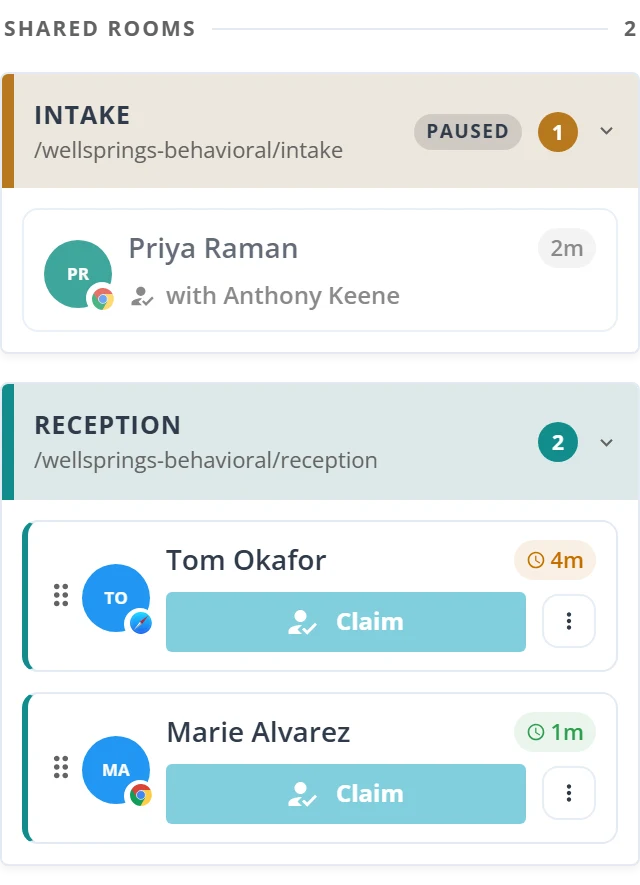
Give your clinic one check-in link and one shared queue. Any provider on the desk can pick up the next client, and clients move between desks without starting over.
Shared Rooms in three steps
Create a room
A clinic admin names the room after the desk, such as Front Desk or Intake, and chooses who can work from it.
Share the link
Clients check in at your clinic URL plus the room name, for example hipaalink.net/wellsprings-behavioral/front-desk. No account or download.
Work the queue together
Everyone in the room sees the same live queue. Claim the next client, or route them to the desk they need.
Built for a busy front desk
Nobody waits unseen
Everyone on the desk sees the same live queue. Wait times count only while a client is unclaimed, so time with a colleague never makes a client look forgotten.
No double-booking
Claim a client and your team sees it instantly. If two people press Claim at the same moment, one gets the client and the other sees who did.
Route without restarting
Move a client from Front Desk to Intake, or to a colleague's personal room. Their place, camera and microphone come with them, and the receiving room sees who sent them.
Hand back without losing a place
Release returns a client to the queue in the same spot in line. If your connection drops briefly, you keep the clients you were holding.
Close a desk, not a room
Pause check-ins for lunch or the end of the day. Clients already waiting keep their place.
Know when to add cover
See when clients leave before anyone picks them up, by day and by hour, for each room.
From check-in to connected
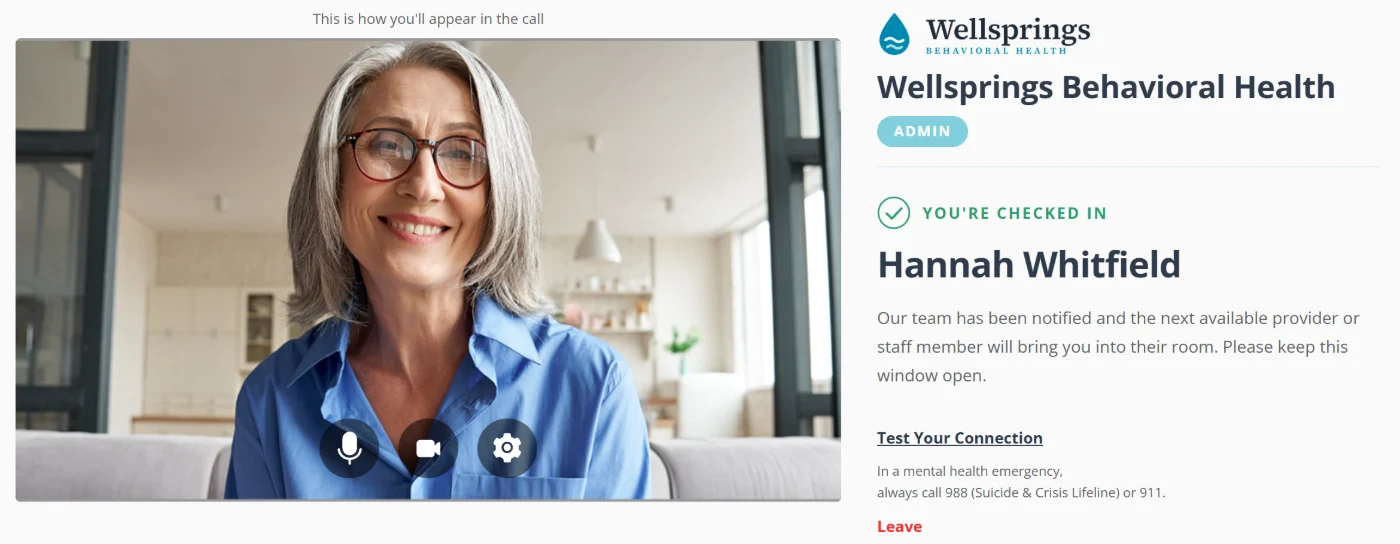
Clients see a calm, simple screen the whole way through. They always know whether someone is available and who is about to see them.
Set it up once, adjust it any day
Your clinic URL is the permanent address every shared room lives under. Set it once and every room link uses it, so every clinic can have its own front desk.
https://hipaalink.net/wellsprings-behavioral/intake- Name rooms after the desk, not a person: Front Desk, Intake, Billing, Triage
- A welcome message and an unavailable message for each room
- Require a phone number at check-in, room by room
- A color for each room on the staff side, so the blue room is easy to spot. Clients never see it.
- Pause check-ins without deleting the room. Staff can pause the rooms they work from.
- A 30-day report per room of clients who left before anyone claimed them, by day and by hour. It shows counts and wait times only, not who the clients were.
Good to know
No. Shared rooms sit alongside each provider's personal room, which keeps working as before.
Yes. Move them to another shared room or to a colleague's personal room. Their page does not reload, and they keep their place in line.
The client sees the room's unavailable message. When someone comes online, the screen switches to the welcome message on its own.
Yes. Pause check-ins to stop new clients from joining. Clients already waiting keep their place.
Clinic admins create and manage shared rooms and choose who can work from each one.
The Free Trial and all paid plans. Shared Rooms is not part of the Free Plan. See pricing for details.
Call history from shared rooms is kept the same way as for personal rooms. HIPAA LINK only keeps client information when you use a feature that needs it, only for as long as it needs it, and always under our Business Associate Agreement.
Related features
Give your clinic one front door
Try Shared Rooms and the whole platform free for 14 days. No credit card required.